
Digital story
In this exercise we will create a digital story with two Minions in the lead. The digital story must start when the green flag is clicked.
Try to recreate the story as best you can. Later you will have the opportunity to write your own story and program it afterwards.
THE STORY
Bob sees a bunch of bananas hanging in the tree. Dave loves bananas and would love the bunch for him alone. They have a fight. They decide to organize a competition: whoever can pick the bananas first, wins. Dave is the first to reach the bananas. But then Bob comes up with a plan: he steals the bananas in front of Bob.
Register before you start the exercise. Click the button below and sign up.
ORIENTATE
Take a look at the example and consider the following questions:
- What should I do?
- What are the goals?
- What are the expectations?
- What can I already do?
- What do I still have to discover?
PREPARATION
View the steps under 'perform'. Then answer the following questions:
- Which steps should I follow?
- Which steps can I follow?
- How much time do I need?
- What tools do I need?
PERFORM
Perform the steps one by one. Do you not remember how to do it? View the hints or download the solution.
STEP 1
STEP 2
STEP 3
It's time to add the Minions in Scratch. Search via eg Google two Minions whose background is preferably transparent. Then you don't have to remove the background yourself afterwards. Adjust the size. You can also hang the bunch of bananas in the trees.
STEP 4
STEP 5
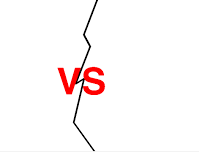
Create a new background "US". It looks like this in the example:
STEP 6
Move both Minions to the height of the red letters. Basically you only have to adjust the y-values (then the sprite moves up).
STEP 7
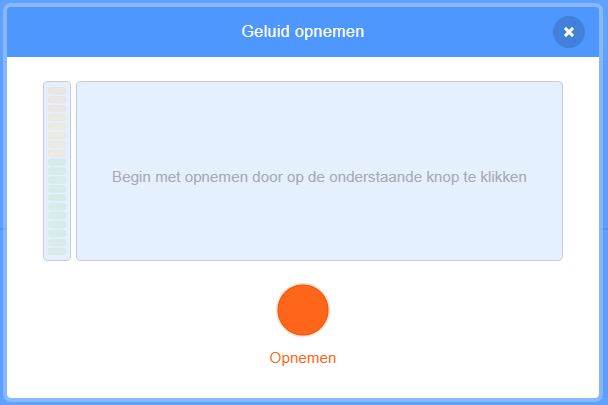
Record the message "Dave VS Bob" in an exciting way and let this sound play while the background "VS" is visible. You can record and insert a message with the following buttons:

STEP 8
The background should change back to the background "tree" after 2 seconds. Make a copy of the background tree and name it "tree2", because a program has already been made on "tree".
Now write a program so that the "US" background changes to "tree2".
STEP 9
STEP 10
STEP 11
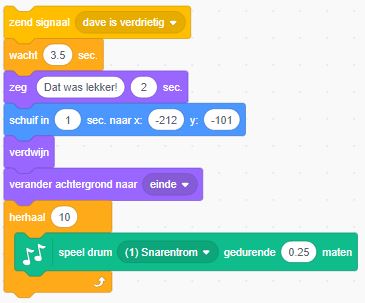
Start a new script with Bob:
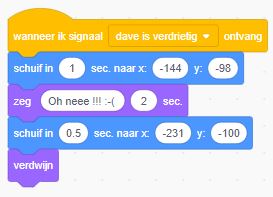
We have the sprite "Dave" respond to the signal:
STEP 12
REFLECT
Look back at the project you just made. Ask yourself the following questions:
- Does the program work as I expected? Why / why not?
- What works well?
- What works less well?
- How can I approach it differently?
Download
Click on the link below to download a sample solution.
Upload the project in Scratch. Click the button below and follow the steps.