
Your remote control
After reading this page, you will be able to fully personalise the mBot remote control!
We will start off with a few basic functions. After that, you are free to do as you please!
You will learn:
- How you can use the different buttons on the remote control in a programme.
- How you can install a programme on mBot which uses the remote control.

Open the mBlock programme on your computer, turn on your mBot and connect.

PREPARATION
Check the steps in "execute". Answer the following questions:
- Which steps should I follow?
- Which steps can I take?
- How much time do I need?
- What tools do I need?

EXECUTE
Perform the steps one by one. Have you forgotten how to do it? Look at the hints or download the solution.
STEP 1
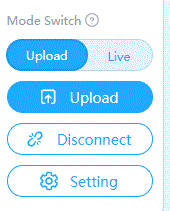
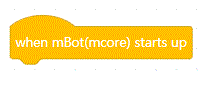
For this exercise, you will need to connect the mBot to a computer via the USB cable. You will be working with the “when mBot(mcore) starts up” block and will be sending the programme to your mBot.
In order to programme the buttons of the remote control, we will use the following block:

For instance, you will be able to combine this block with an “if...then” block.
Let’s get started!
STEP 2
STEP 3
STEP 4
STEP 5
Now it's up to you
Now that you know how to programme the remote control, you can combine this with all the other knowledge from the previous exercises. Below are a few suggested ideas, but you are free to do your own thing! Or you can try out all of the ideas mentioned below...
- Turn your mBot into a music instrument, which you can play by using the remote control.
- Ensure that you can choose the colours of the LED lights by using the remote control. You are free to choose the settings of the buttons. You can also choose to control the right or left light separately.
- Turn your mBot into a Jukebox. To do this, make a few (short) songs. When you press the numbers, one of these songs will be played.
- Try programming the remote control yourself, as it is set by default.

How nice that you could create your own remote control! Will you let the other children in your coding class see what your remote control can do?

REFLECTING
Look back at the project you just made. Ask yourself the following questions:
- Does the programme work like I expected?
- What is working well?
- What is not working well?
- How can I do things differently?
Download
Click on the links below to download the solutions: