
Quiz
Remember how you had to practice on the multiplication tables in 2nd grade? We're going to make that a little more fun! With Scratch we make a quiz in which our Sprite asks all kinds of exercises. The more correct answers, the more points! And of course it is also a race against time!
You learn to:
- use variables in text
- multiply variables

Register before you start the exercise. Click the button below and sign up.

ORIENTATION
Take a look at the example and consider the following questions:
- What should I do?
- What are the goals?
- What are the expectations?
- What can I already do?
- What do I still have to discover?
Geef de oplossing in van de vermenigvuldiging.

PREPARATION
View the steps at 'perform'. Then answer the following questions:
- Which steps should I follow?
- Which steps can I follow?
- How much time do I need?
- What tools do I need?
PERFORM
Do the steps one by one. Do you not remember how to do it? View the hints or download the solution.
STEP 1
As always, start Scratch's online editor and delete the cat sprite. Now we can start to compose the quiz questions (multiplications of your choice).
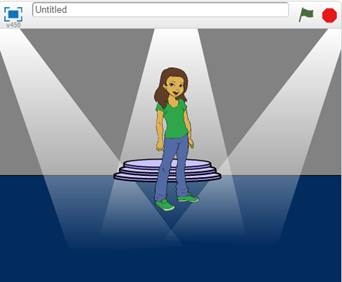
Then choose a nice backdrop and a nice sprite to ask the questions. You can of course choose this yourself. So again you don't have to follow our example, but you do have to take all the steps described in this project!
We choose a glamorous backdrop and a nice presenter:
STEP 2
We now create two variables, each containing a number that must be multiplied together.
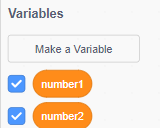
They will also be placed at the top left of our playing field:

If we want to practice all multiplication tables, we have to make each variable form a random number between 0 and 10.
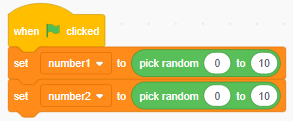
Do you want to make it harder or easier? Then change one or both numbers.
STEP 3
STEP 4
STEP 5
Depending on the Sprite you chose, you will see different variants under "costumes". We chose Abby and we see four different figures in the "costumes" tab:
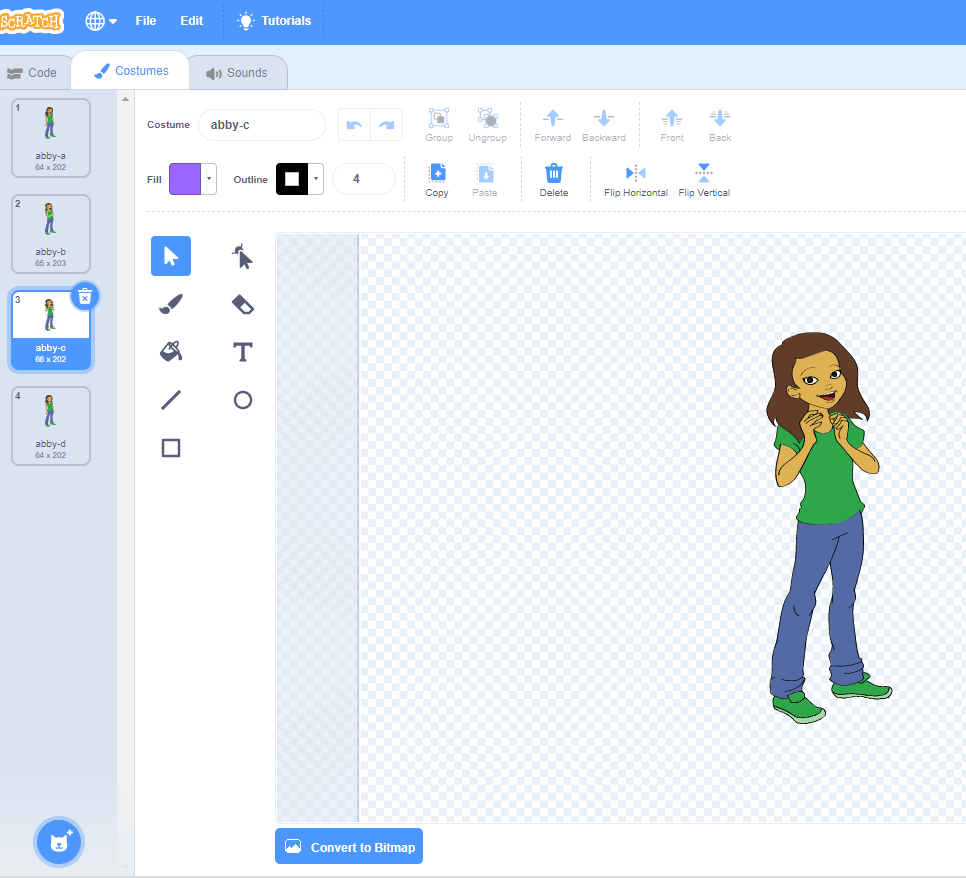
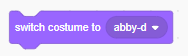
By inserting this button in your code you can change your figure if there is a correct or incorrect answer:
STEP 6
With an extra variable we can keep track of the score. Nice to see how many exercises you could solve within the available time!


Make your game "real" now!
You can:
- link a piece of music when the time is up.
- add a ticking clock during the game that makes it even more nerve-racking.
-…

Well done!

REFLECT
Look back at the project you just made. Ask yourself the following questions:
- Does the program work as I expected? Why / why not?
- What works well?
- What works less well?
- How can I approach it differently?
Download
Click the link below to download a sample solution.
Upload the project in Scratch. Click the button below and follow the steps.